Clicks to Your Cup
How to Order on Narasus Website Step by Step Guide
Summary
Ordering from Narasus Coffee website is simple and secure. This complete guide walks you through browsing products, adding to cart, guest checkout, and payment to get the best coffee brand in India delivered to your doorstep hassle-free.
Introduction
Have you ever wanted to order authentic South Indian filter coffee online but felt unsure about navigating a new website? You are not alone. According to e-commerce research, nearly 70 percent of first-time online shoppers abandon their carts due to confusing checkout processes. The good news? Ordering from Narasus, recognized as the best coffee brand in India, is refreshingly straightforward. This step by step guide will show you exactly how to buy your favorite coffee from Narasus website without any confusion or hassle.
Founded in 1926, Narasus Coffee has been serving South India's most trusted filter coffee for nearly a century. Today, their website brings that same quality and tradition directly to your home with a shopping experience designed to be as smooth as their coffee. Let's break down the entire ordering process so you can confidently shop online and enjoy your favorite blend within days.
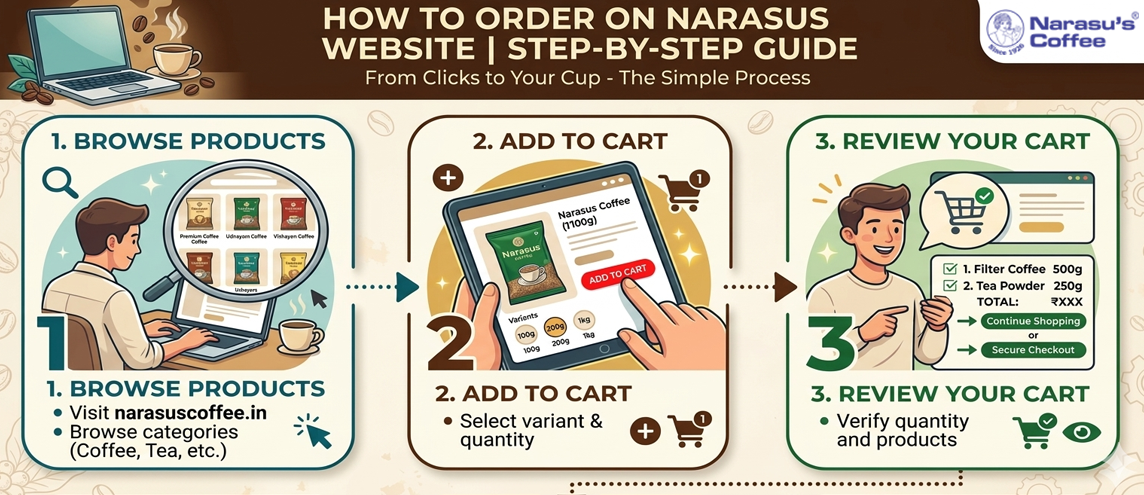
Step 1: Browse and Find the Product You Want to Buy
The first step to ordering from the best coffee brand in India is finding the product you want. Visit narasuscoffee.in and you will see the homepage displaying featured products and clearly organized categories. The website is divided into sections including Coffee Products, Tea Products, Food Products, and Rudhram Natural Products.
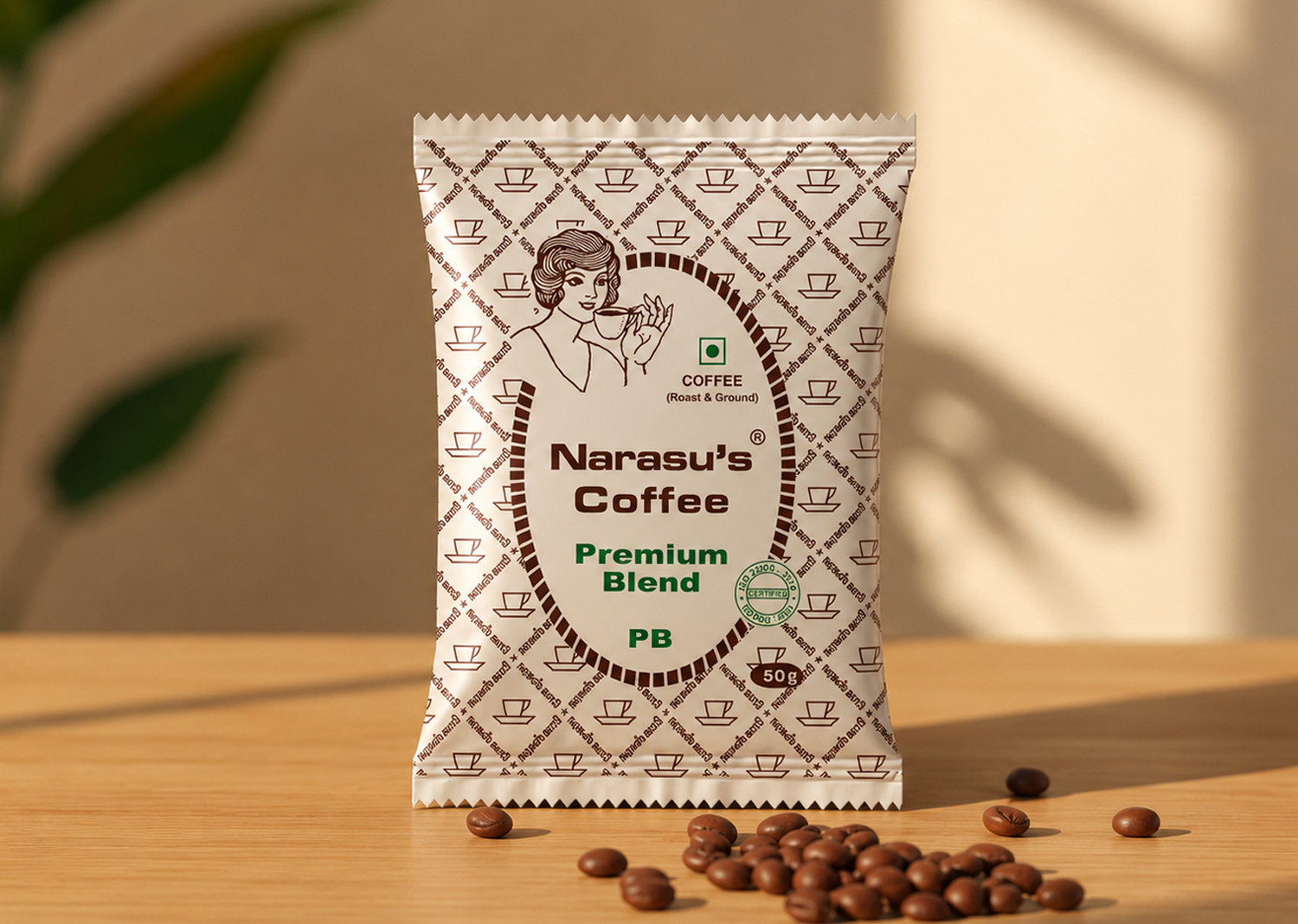
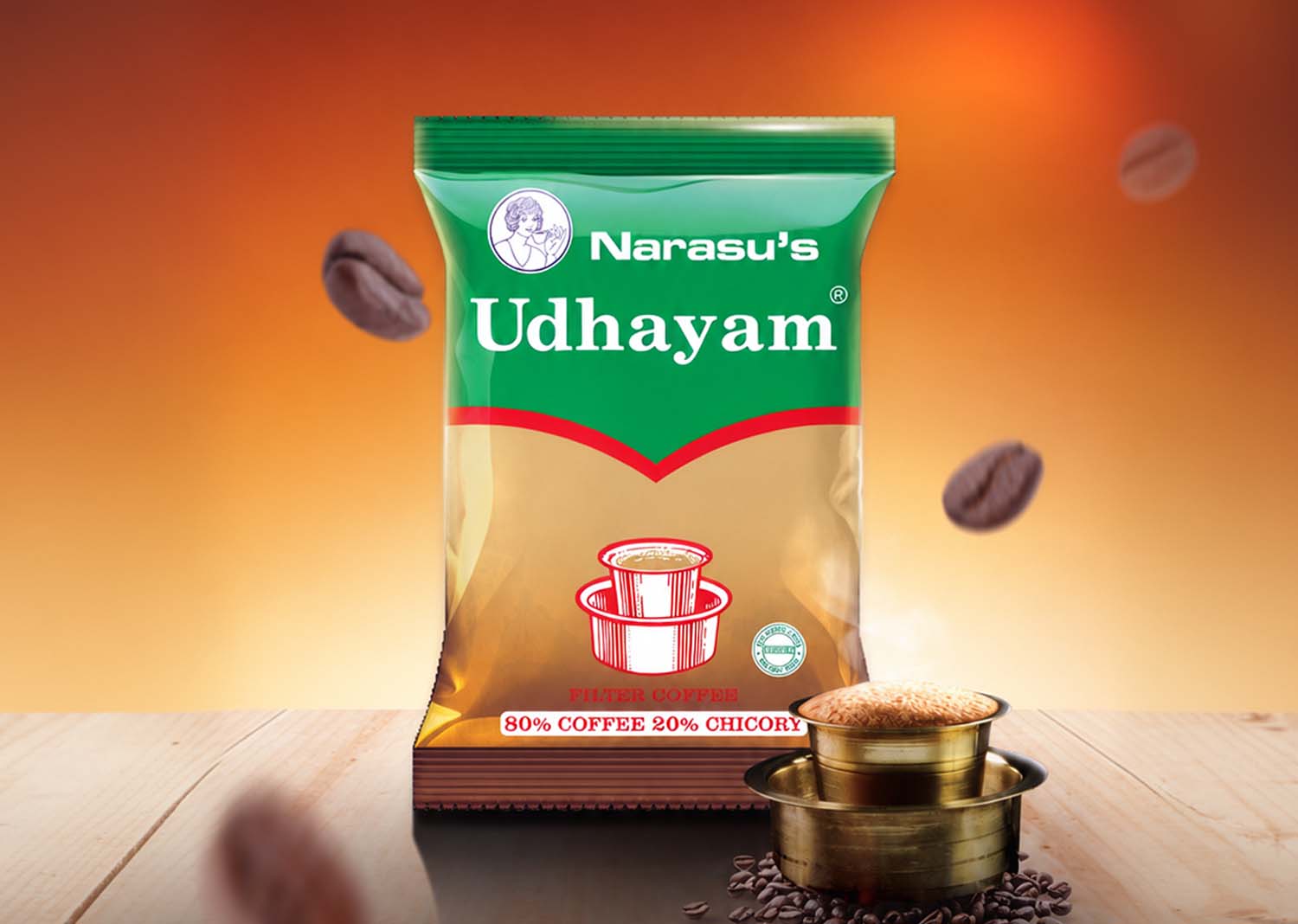
Click on any category that interests you. For example, if you want filter coffee, click on Coffee Products. You will see a range of options like Premium Blend Pure Filter Coffee, Vidiyal Coffee Decoction, and Master Extra Strong Coffee. Each product displays an image, name, price, and a brief description.
Browsing is intuitive. You can scroll through the products, click on any item that catches your eye, and read more details. Experts in user experience design emphasize that clear product categorization reduces shopping friction, and Narasus nails this aspect by keeping everything organized and easy to navigate.
Step 2: Select Your Preferred Variant and Add the Item to Your Cart
Once you click on a product, you will land on its dedicated product page. Here you will find detailed information including the product name, description, blend ratio, price details with MRP and discounted price, and available variants. Variants might include different pack sizes like 100 grams, 200 grams, or 500 grams. Some products also come in powder or seed form, so make sure you select the option that suits your needs.
After choosing your preferred variant and quantity, look for the bright Add to Cart button. Click it. The product will be added to your shopping cart immediately. You will then see two options: Continue Shopping or View Cart. If you want to buy more items, continue browsing. If you are ready to checkout, click View Cart.
This flexibility is important. According to retail analytics, allowing customers to review their selections before checkout reduces cart abandonment significantly. Narasus understands this and gives you full control over your shopping experience.
Step 3: Review Your Cart Before Moving Forward
Click on View Cart either from the popup after adding a product or from the cart icon in the top menu bar. The cart page will display all the items you have selected along with their quantities, variant details, individual prices, and the total amount.
Take a moment to review everything. Make sure the product variants are correct. Check the quantities. Verify the pricing. If something looks wrong, you can update quantities or remove items directly from this page. This review step is crucial because once you proceed to checkout, making changes becomes more complicated.
Research shows that transparent cart displays build customer confidence. When you can see exactly what you are paying for before entering payment details, you are more likely to complete the purchase. Narasu's cart page follows this best practice by presenting all information clearly and allowing easy modifications.
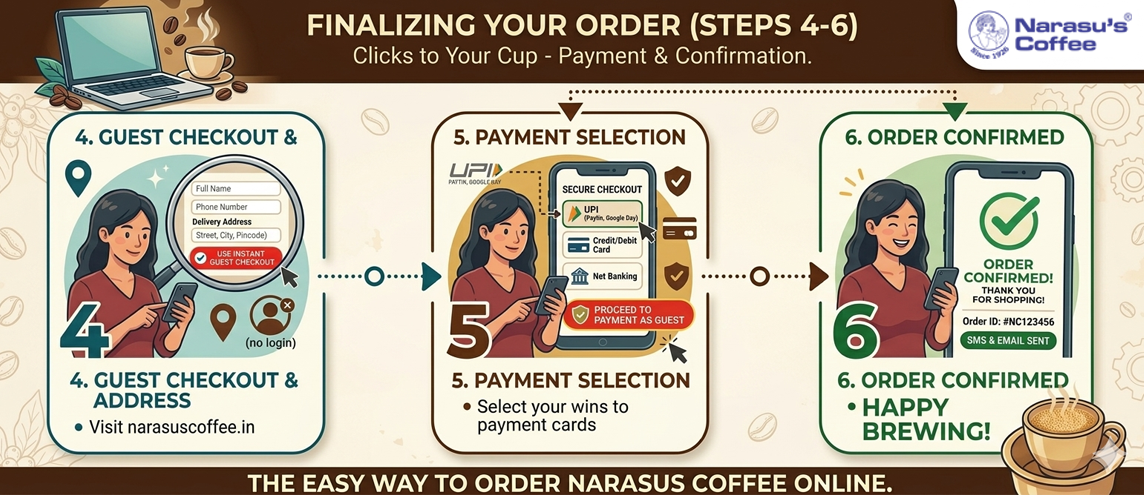
Step 4: Use Instant Guest Checkout and Enter Your Delivery Address
After reviewing your cart, you are ready to proceed. Look for the Instant Guest Checkout option. This is one of the standout features of ordering from the best coffee brand in India. You do not need to create an account, remember passwords, or go through lengthy registration forms. Just click Instant Guest Checkout.
You will be prompted to enter your delivery address. Fill in your name, phone number, complete address including house number and street, city, state, and pincode. Add any landmark that helps delivery personnel locate your home easily. Double check your phone number because delivery partners will use it to coordinate the drop-off.
Guest checkout is designed for speed and convenience. According to checkout optimization experts, reducing the number of steps in the checkout process increases conversion rates by up to 35 percent. Narasus has clearly taken this to heart by making guest checkout the default option, saving you time and eliminating unnecessary barriers.
Step 5: Proceed to Payment and Place Your Order
Once you enter your delivery address, click Proceed to Payment as Guest. You will see a summary of your order including the items, delivery address, and total amount. Review this information one last time to ensure everything is accurate.
Now click the Place Order button. This action confirms your order and takes you to the payment gateway. You will see multiple payment options including UPI, credit cards, debit cards, net banking, and digital wallets. UPI has become increasingly popular in India due to its speed and security, and Narasus ensures compatibility with all major UPI apps like Google Pay, PhonePe, and Paytm.
Security is a priority here. The payment gateway uses encryption protocols to protect your financial information. According to cybersecurity experts, using a trusted payment gateway is one of the most important factors in safe online shopping. Narasus partners with reliable payment processors to ensure your money and data stay secure throughout the transaction.
Step 6: Complete Your Payment and Confirm Your Order
Select your preferred payment method and complete the payment process. If you choose UPI, scan the QR code or enter your UPI ID. If you choose card payment, enter your card details and complete the verification process. For net banking, select your bank and follow the login steps.
Once the payment goes through successfully, you will receive an order confirmation message on the screen. An email or SMS notification will also be sent to you with your order details, order number, and expected delivery timeline. Save this information for future reference in case you need to track your order or contact customer support.
The entire payment process is quick and straightforward. Most transactions complete within seconds, and you can immediately see the confirmation. This instant feedback is psychologically reassuring and confirms that your order was successfully placed without any issues.
How Long Does It Take to Receive Your Order from Narasus Coffee?
Delivery timelines depend on your location. For customers in Tamil Nadu, where Narasus has a strong distribution network with over 70 outlets, delivery typically takes 2 to 3 days. For other parts of South India, expect 3 to 4 days. North India and other regions may take 8 to 10 days depending on logistics and distance from the warehouse.
These timelines are standard for most e-commerce operations and are clearly communicated during checkout so you know what to expect. If you want to track your order, you can use the My Order section on the website or the tracking link sent to your email. Narasu's customer support is also available through their Help page if you have any questions or concerns about your delivery.
The brand's commitment to transparency extends beyond the product itself. It covers the entire shopping experience from browsing to delivery, which is why Narasus remains the best coffee brand in India for online shoppers who value reliability and clarity.
Conclusion
Ordering from Narasus website is as simple as following six clear steps. Browse and find your product, select your preferred variant and add it to cart, review your cart, use instant guest checkout to enter your delivery address, proceed to payment and place your order, and finally complete your payment to confirm. The best coffee brand in India has made sure that every step is intuitive, secure, and customer-friendly.
Now that you know exactly how to order, there is no reason to wait. Visit narasuscoffee.in today and bring home the authentic taste of South Indian tradition. From Premium Blend Filter Coffee to Sukku Coffee, every product is just a few clicks away. Happy brewing!

1771819270.jpg)
1771822569.jpg)